Qontent Tube 0.2: it's alive
In 0.1, Qontent Tube gave your script a voice. In 0.2, it gives it a stage.
Write the scenes. Hear the cast. Watch the cards slide in on the word that mentions them, the characters talk with the real voice, and the finished MP4 land in your folder — in English, in Spanish, and as Shorts.
The video below was made entirely with Qontent Tube 0.2. One Markdown script, one storyboard, two voices, a cast of two characters, three painted backgrounds, and three renders: this one, a Spanish version, and a vertical Short.
From words to video
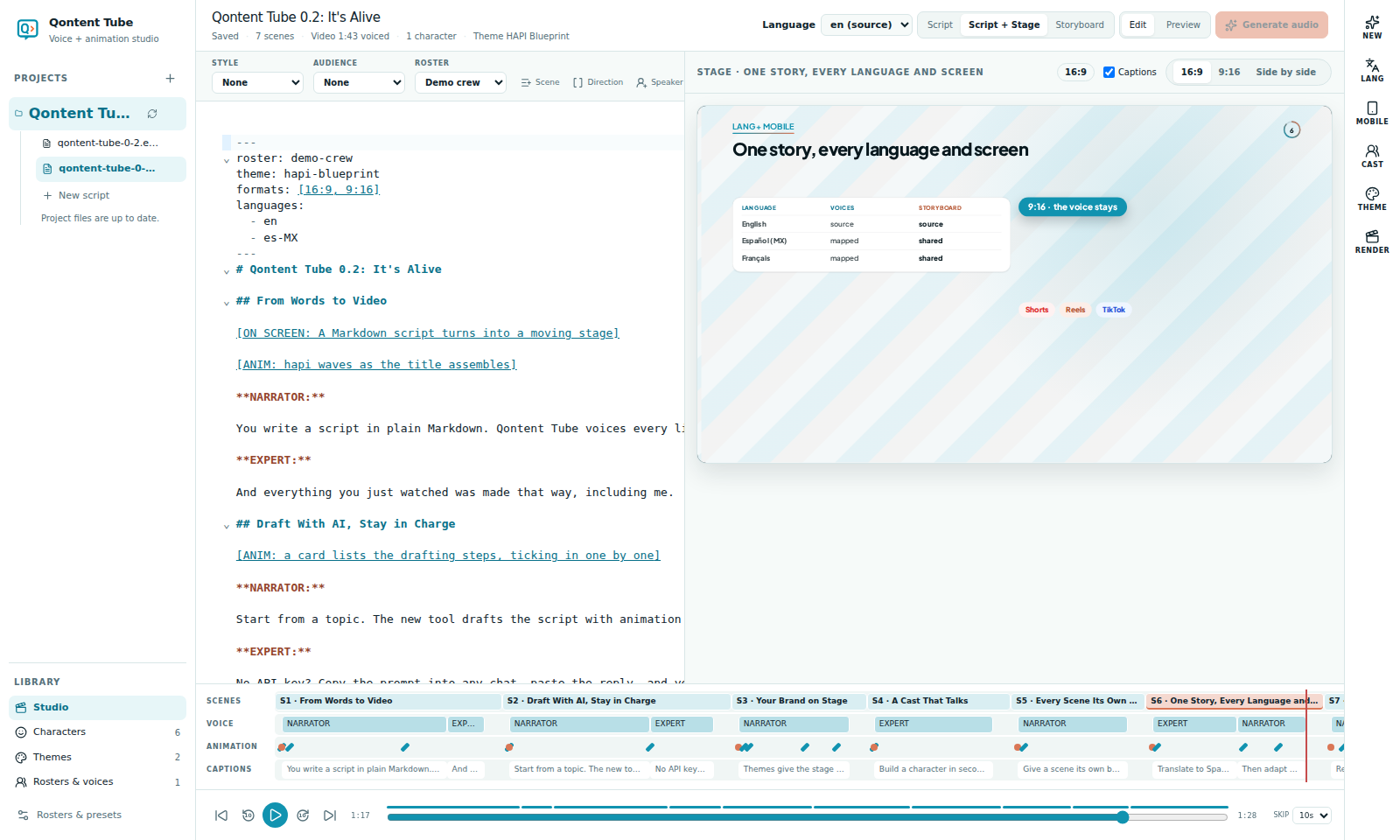
Studio now has three views over the same draft: Script, Script + Stage, and Storyboard. The stage is a 1920 × 1080 animated video whose timing comes from the voice. Every beat is anchored to a line — "line 2 at 50%" — never to a timestamp, so when you rewrite a sentence or regenerate a clip, the animation simply follows.
No voice yet? Press Preview with estimated timing and watch the whole video play on word-count timing.
Storyboards you can trust
A storyboard is a JSON file next to your script — data, never generated code. Fourteen element kinds (cards, chips, flows, terminals, tables, bars, characters…) with form editors, wireframes at 50% and 90% of each scene, and a review flow: approve, lock, Approve all scenes. Edit the script, and the scenes whose lines moved are marked Needs review. Nothing silently disappears.
Draft with AI, stay in charge
The NEW tool turns a topic into a script and a full storyboard. Bring your own Anthropic or OpenAI key (or any OpenAI-compatible server, like Ollama), choose the model and the effort, and see what to expect: Fast for first drafts in under a minute, Thorough for long, careful scripts. Or skip keys entirely: manual mode shows the exact prompt for any chat product and validates the reply you paste back.
Every result is a draft: validated against the schema and the script, repaired once automatically if needed, recorded with its provenance, and never written over your work.
Your brand on stage
Themes give the stage your colors and fonts, graded for WCAG readability with one-click fixes. Extract a palette from your logo, apply it per script, per project, or everywhere, and export it as Design Tokens.
A cast that talks
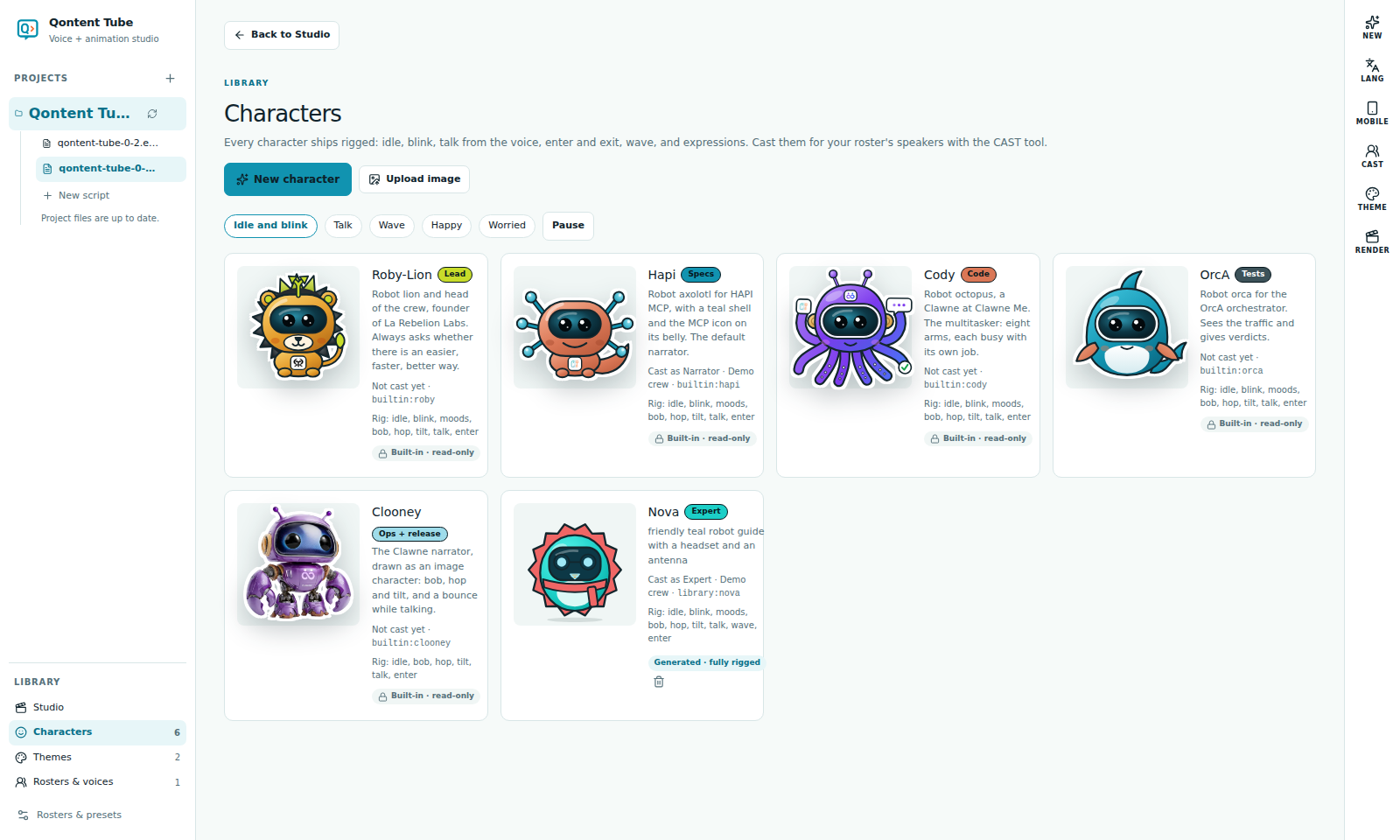
Build characters in the Character builder: describe them, pick a style (flat, soft 3D, line, pixel) and a personality, generate four variations, lock the ones you like, and refine them in words. Every character ships rigged — breathing, blinking, waving, expressions — and talks with the real voice: Qontent Tube reads each clip's loudness 30 times a second, and the mouth follows.
Use CAST to give every speaker a face. In the demo, our Narrator is Hapi and the Expert is Nova, built in seconds from one sentence.
Every scene its own world
Generate background paints a picture for a scene from its story and your theme's colors, with the card areas kept calm and text kept out. A theme-colored veil keeps every word readable, and a slow zoom or pan adds life. Prefer another tool? Copy the prompt and upload your image.
One story, every language
The LANG tool translates a script into a linked draft (intro.es-MX.md) that keeps the same scenes, speakers, and storyboard, with its own on-screen texts. Give each speaker a voice per language, protect terms with a glossary, and let Timing fit the translation to the original pace. Change the source, and only the outdated lines are re-translated.
The Spanish cut of the demo was translated, re-voiced, and rendered in a few minutes:
And every screen
The MOBILE tool adapts each scene to 9:16 — restack, split into beats, focus crop, or letterbox — with the platform safe zones of YouTube Shorts, Reels, and TikTok drawn on the preview. The voice stays the same. Render it as one vertical video or as parts under 60 seconds, each with a "Part n of N" card.
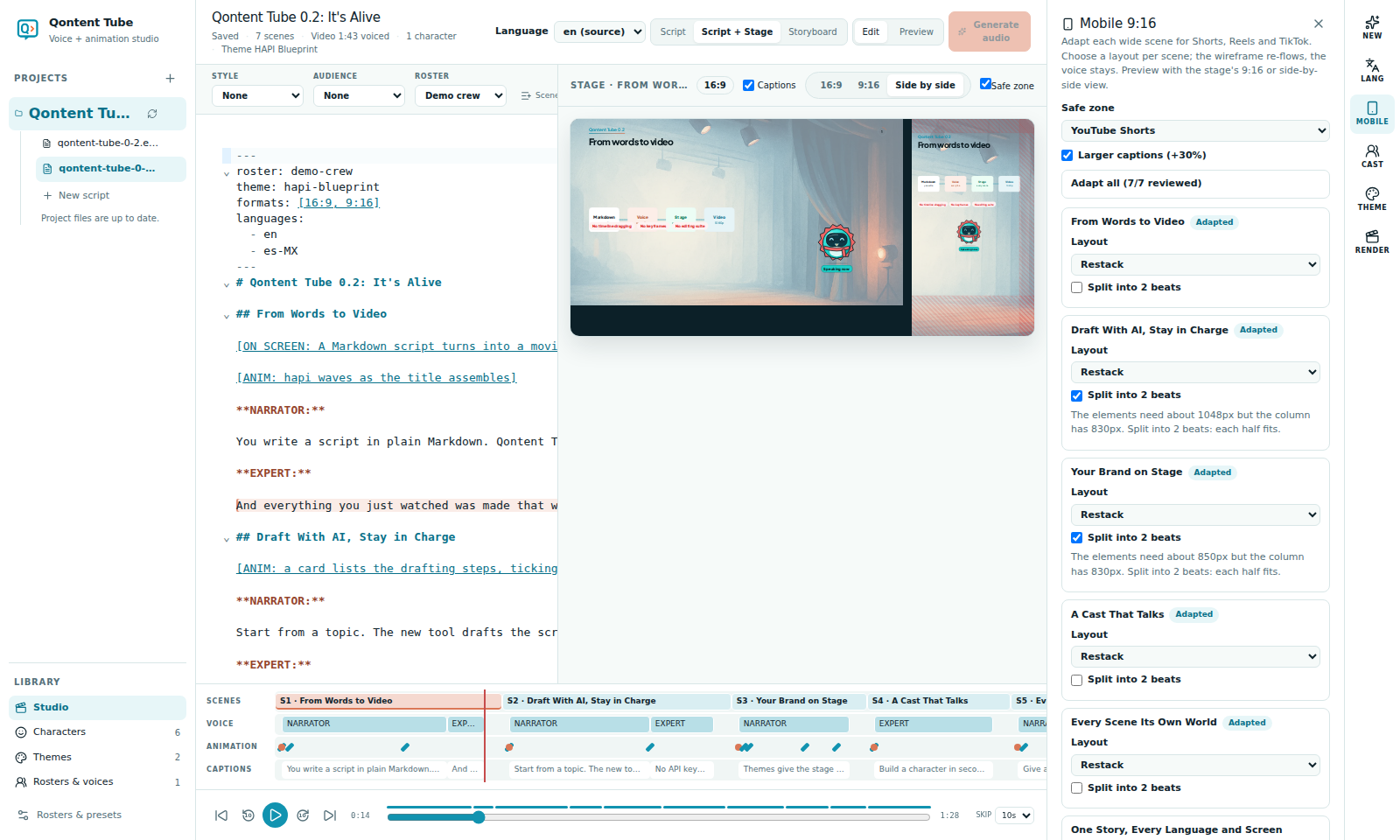
Here is part 1 of the demo as a Short, rendered from the same storyboard and voice:
Rendered on your computer
RENDER runs a pre-flight checklist, then exports an MP4 at 30 fps with captions (.srt), YouTube chapters, and QA frames, using the Chrome and ffmpeg you already have. Renders run in parallel chunks, can be cancelled and resumed, and audio can be re-mixed without rendering the picture again. Your scripts, voices, and videos stay on your machine.
Get started
- Read the new guides, starting with Studio and the animated stage.
- Already using 0.1? Your scripts, rosters, and audio keep working; 0.2 only adds.
Write it. Hear it. Ship it.