Introducing Qontent Tube
Generating a voice is easy. Managing a complete voiceover is still surprisingly messy.
The script lives in one place, voice choices somewhere else, and every paragraph becomes another file to name and place. Rewrite one sentence and the whole production starts to feel uncertain again.
Qontent Tube keeps the script at the center of that work.
Faceless videos should never feel voiceless
Qontent Tube turns a structured Markdown script into an organized, multi-voice production. It recognizes scenes and speakers, connects those speakers to a reusable cast, estimates runtime, generates narration at the scope you choose, and plays the result as one continuous timeline.
Write the story. Cast the voices. Press play.
A script format you can keep
The writing conventions are deliberately small:
# Why Great Ideas Never Leave the Notes App

## Scene 1 — The unfinished idea

[ON SCREEN: A phone filled with half-written notes.]

**NARRATOR:**

You probably do not need more ideas. You need a better way to finish the ones you already have.
Scene headings shape the outline. Bold speaker cues identify who talks. Bracketed directions guide the visuals without being spoken. The source remains ordinary Markdown that you can edit inside or outside Qontent Tube.
Cast once, then keep creating
A reusable roster keeps the voice and speaking pace for every narrator or character together. A documentary narrator can remain recognizable from episode to episode. A fictional cast can stay consistent across an entire story.
The roster also makes structural problems visible before generation. If a speaker in the script does not match a configured member, Qontent Tube points it out instead of guessing.
See the production before generating it
The workspace turns the script into a scene and speaker outline. You can jump to a scene, find every passage for one speaker, and use duration estimates to check pacing before creating audio.
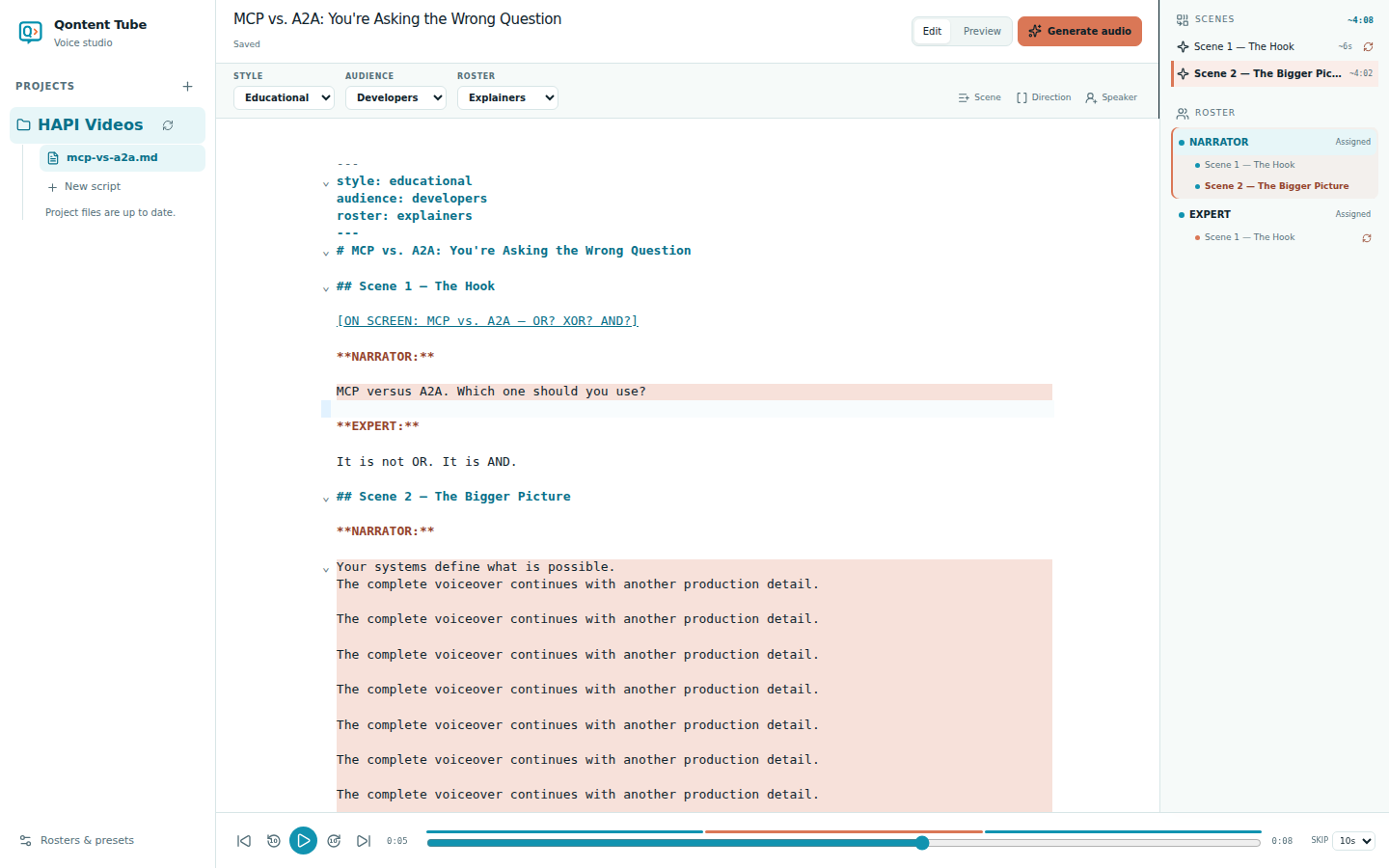
Generate what changed
The first generated draft is useful. The fifth revision is where the workflow matters most.
Qontent Tube tracks whether narration is ready, missing, failed, or outdated. If a sentence, voice, or pace changes, only the affected passage needs new audio. Unchanged clips remain ready and in sequence.
Hear one continuous story
Generated passages become a single playback timeline. Play, pause, scrub, skip, or move between clips while the active scene and spoken source stay highlighted.
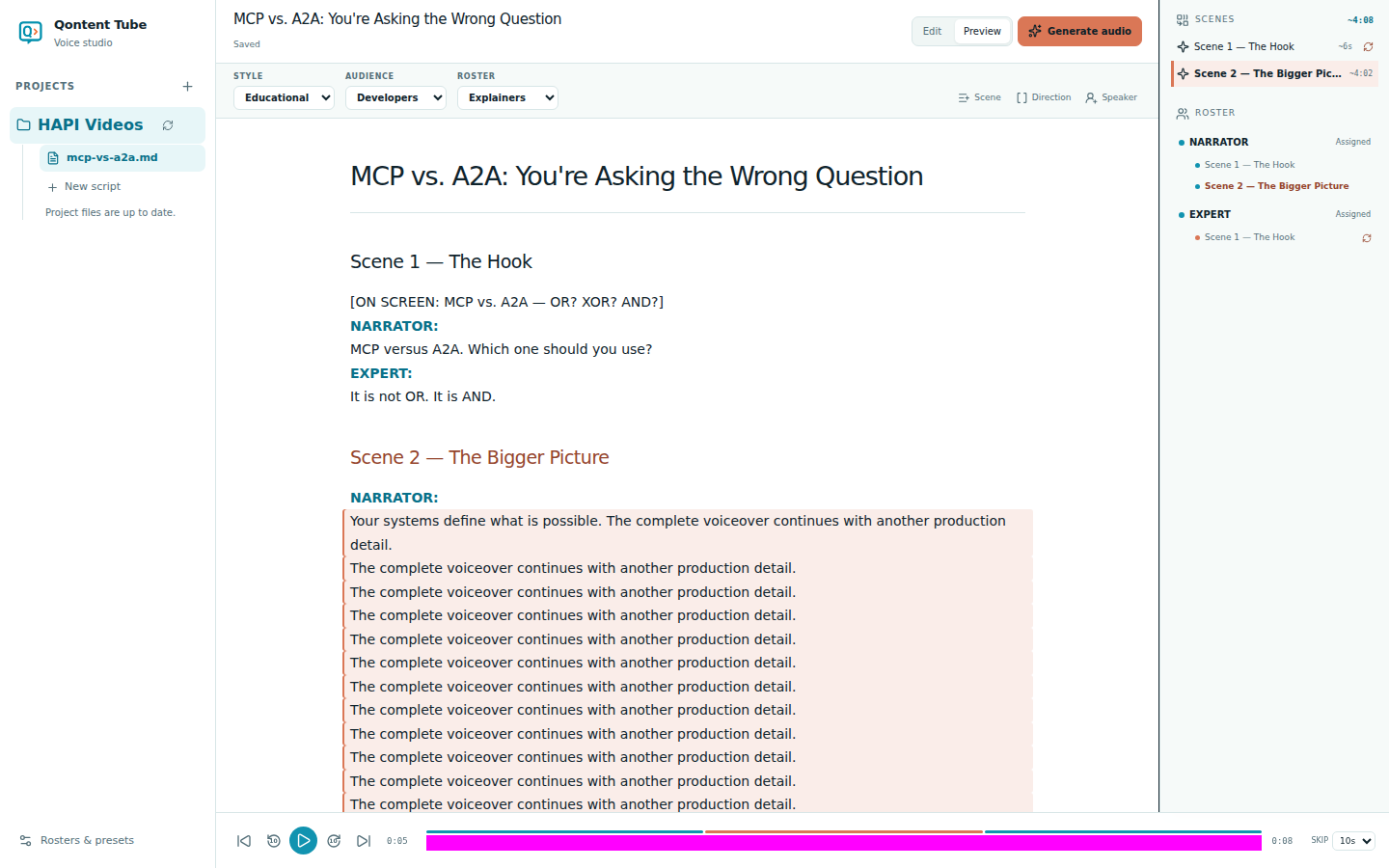
That context matters. A folder of clips tells you what was generated; a timeline tied to the script tells you how the story feels.
Built for change without chaos
Qontent Tube began with a practical frustration: creating faceless videos with several narrators and characters meant managing too many disconnected audio files. Every small improvement to the script caused another round of searching and rebuilding.
We wanted the script to remain the heart of production, recurring voices to feel like a cast, and revision to feel safe enough that creators keep improving the story.
That is the idea behind Qontent Tube:
One script. One cast. One continuous story.
Create your first voiceover or read the Markdown script guide.