Build rosters and choose voices
A roster is a reusable cast for a show, channel, course, campaign, or story. It keeps speaker names, voices, and pacing consistent across scripts.
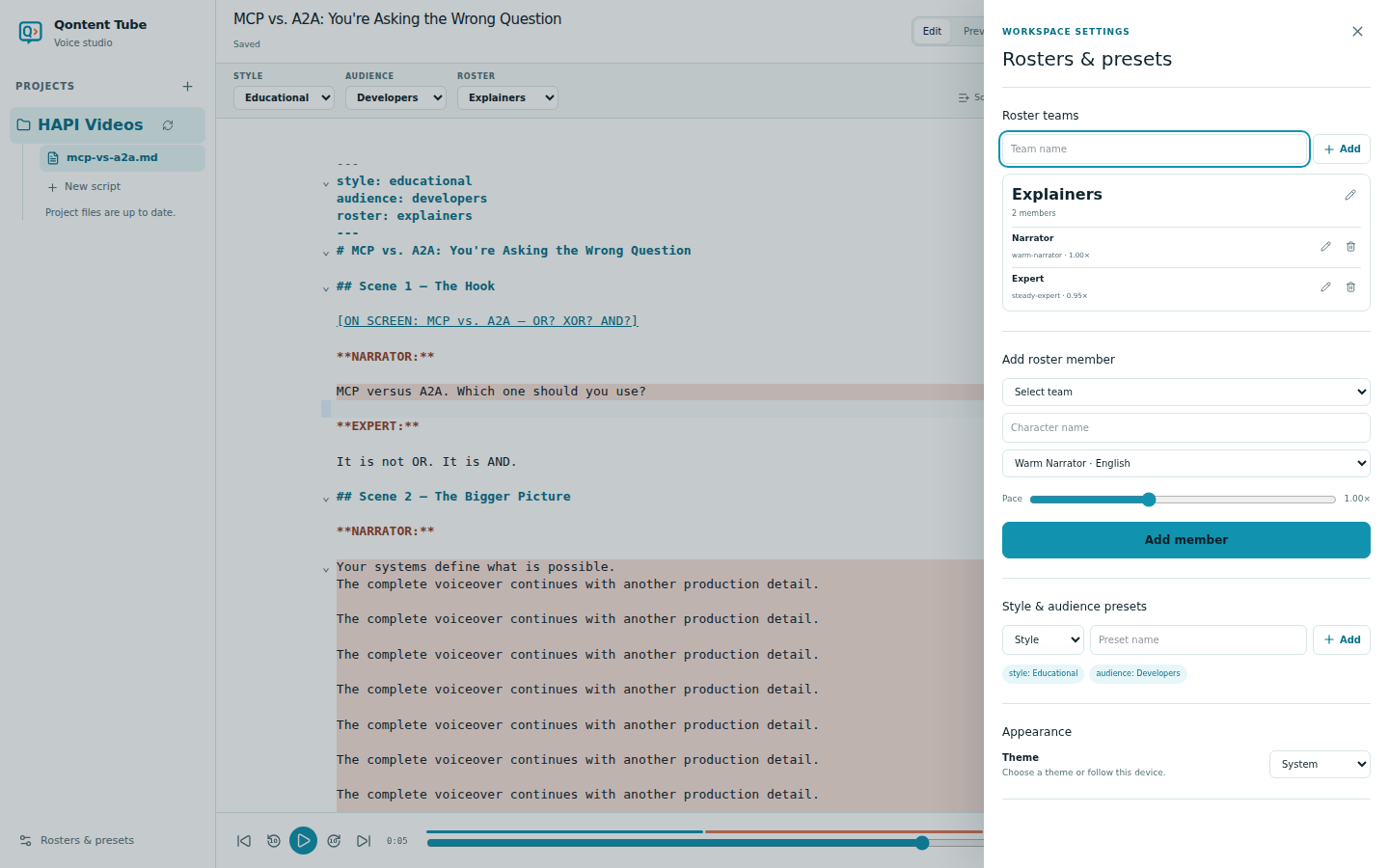
Create a roster
- Open Rosters & presets from the lower-left corner.
- Enter a team name and choose Add.
- Add each narrator or character to that team.
- Select the roster from the script toolbar.
Roster names must be unique. Member names also need to be distinct after normalization, which prevents two entries that would match the same speaker cue.
Configure a member
For every member, choose:
- A character name that matches the standalone bold cue in Markdown
- A friendly voice from the available catalog
- A speaking pace from
0.7×through1.5×
Qontent Tube keeps provider model identifiers behind the server boundary. The workspace only receives friendly, provider-neutral labels and traits.
Changing a member's voice or pace makes affected narration outdated because it would no longer represent the active cast. Regenerate only those passages when you are ready.
Use style and audience presets
Style and Audience are reusable organizational metadata. They are useful for keeping a library consistent, but they do not transform the script, select a voice, or alter generation.
Appearance and application settings
The same settings drawer contains Light, Dark, and System appearance choices. Packaged desktop builds also expose local content storage, voice credential status, and the explicit Quit Qontent Tube action.