Your words stay yours
Scripts remain ordinary Markdown files you can read, edit, move, and back up.
Free private preview · Windows and Linux
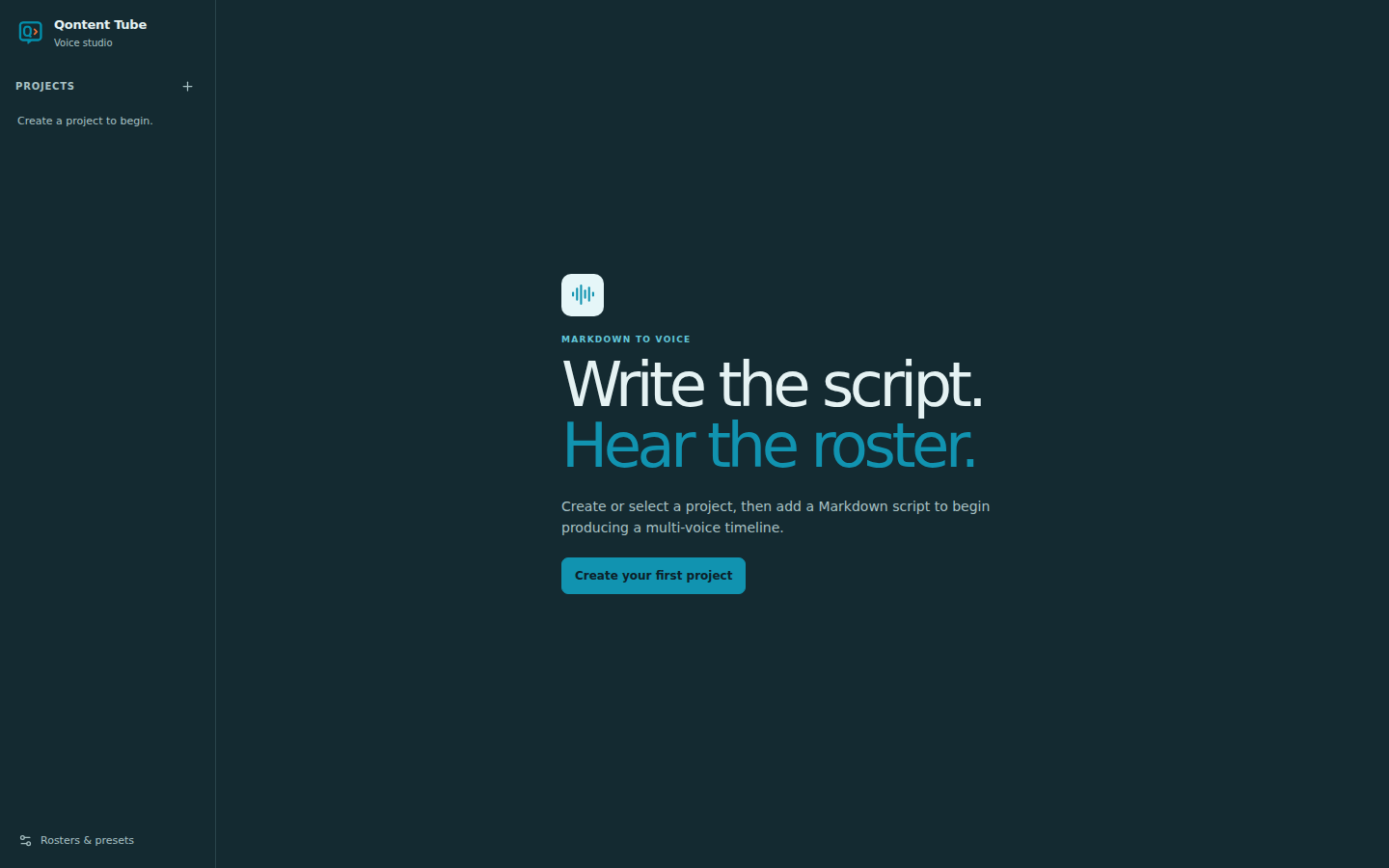
Qontent Tube turns your Markdown script into an organized, multi-voice voiceover—ready to generate, review, revise, and play from one focused desktop workspace.
Write the story. Cast the voices. Press play.
MARKDOWN TO VOICE
Qontent Tube is a desktop voice studio for creators who build narrated videos from scripts.
It reads a small, predictable Markdown structure, connects each speaker to a reusable voice roster, shows the shape and estimated runtime of the production, and plays generated dialogue as one continuous timeline.
THE PROBLEM
You have the idea, the script, maybe even the visuals. Then comes the slow part: naming files, matching clips to scenes, remembering every voice—and doing it again when one sentence changes.
HOW IT WORKS
# Why Great Ideas Never Leave the Notes App

## Scene 1 — The unfinished idea

[ON SCREEN: A phone filled with half-written notes.]

**NARRATOR:**
You probably do not need more ideas. You need a better way to finish the ones you already have.

## Scene 2 — The hidden cost

[ON SCREEN: Notes become unfinished project folders.]

**NARRATOR:**
Every unfinished draft asks you to make the same decisions again.
Use scene headings, bold speaker cues, and bracketed production directions in a format that stays yours.
Give each narrator or character a voice and speaking pace, then reuse that roster across scripts.
Review scenes, speaker appearances, and estimated runtime before spending time generating audio.
Create all missing narration or focus on one scene, speaker, or changed passage.
Play every ready clip as a continuous timeline while the current words stay highlighted.
THE WORKSPACE
Projects stay on the left, the script remains at the center, structure sits on the right, and playback is always within reach.
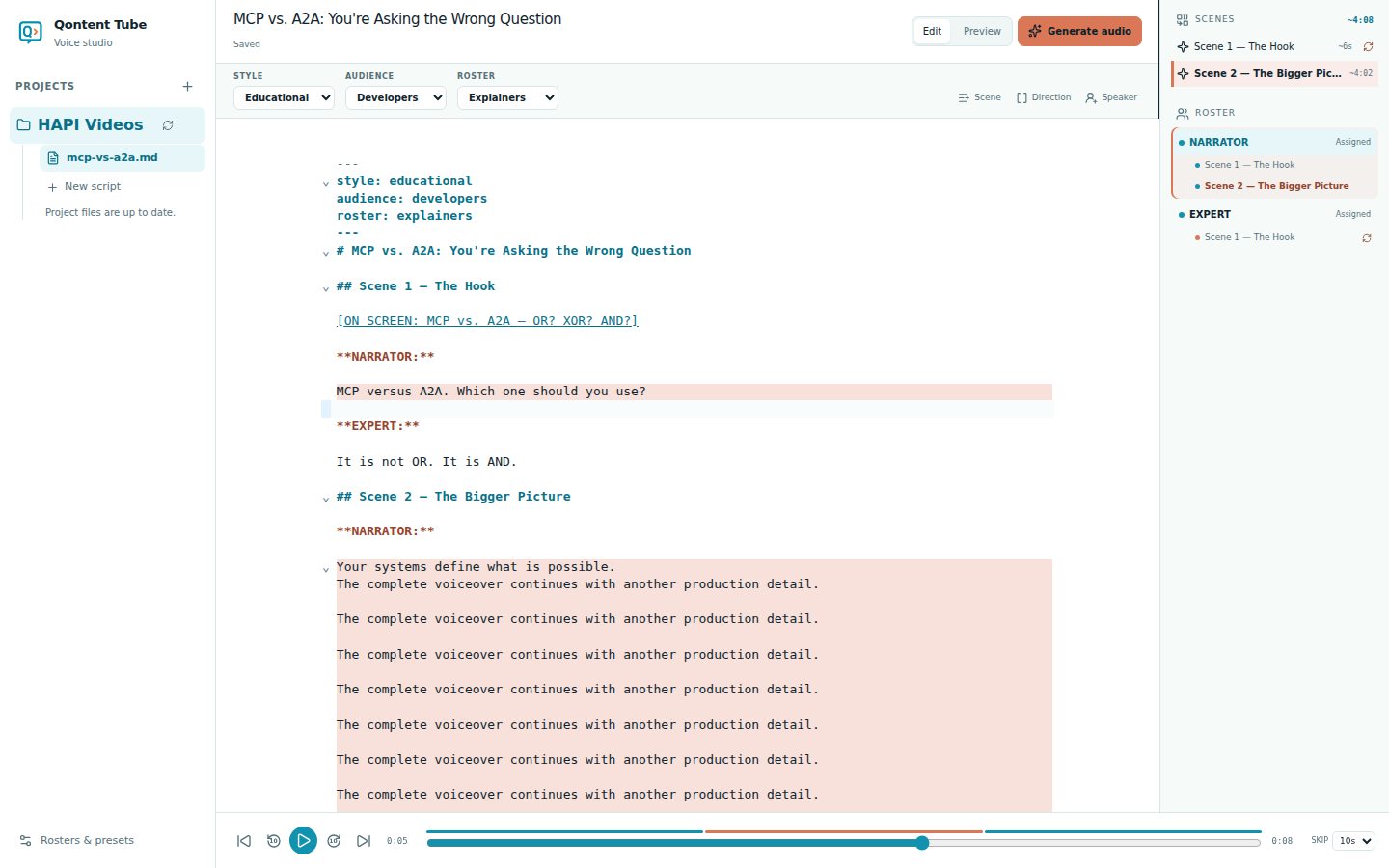
REVISION WITHOUT CHAOS
Freshness follows the words, voice, pace, and generation version. Qontent Tube shows exactly what needs attention and keeps everything else ready.
Learn how generation state works →NARRATOREvery unfinished draft asks you to decide again.
ReadyEXPERTThe cost is not time. It is momentum.The real cost is lost momentum.▍
ReadyOutdated↻ Regenerating✓ Ready · newNARRATORSo finish one idea before you chase the next.
ReadyWHY CREATORS FEEL THE DIFFERENCE
Voice generation is useful. A dependable voiceover workflow is transformative. Qontent Tube is designed around the life of a script.
Scripts remain ordinary Markdown files you can read, edit, move, and back up.
Changed dialogue becomes outdated without disturbing narration that is still current.
Reusable rosters keep voice and pace decisions together across an entire series.
Jump through scenes, speaker appearances, and estimated runtimes without losing context.
Add or edit Markdown in your content folder and reconcile it safely with the workspace.
The desktop app keeps projects and audio local on Windows and Linux.
IN DESIGN · V0.2
MARKDOWN → VOICE → ANIMATION
Today, Qontent Tube gives your Markdown a cast and a voice. Next, the same script becomes editable scenes you can preview, style, and render locally into a finished video.
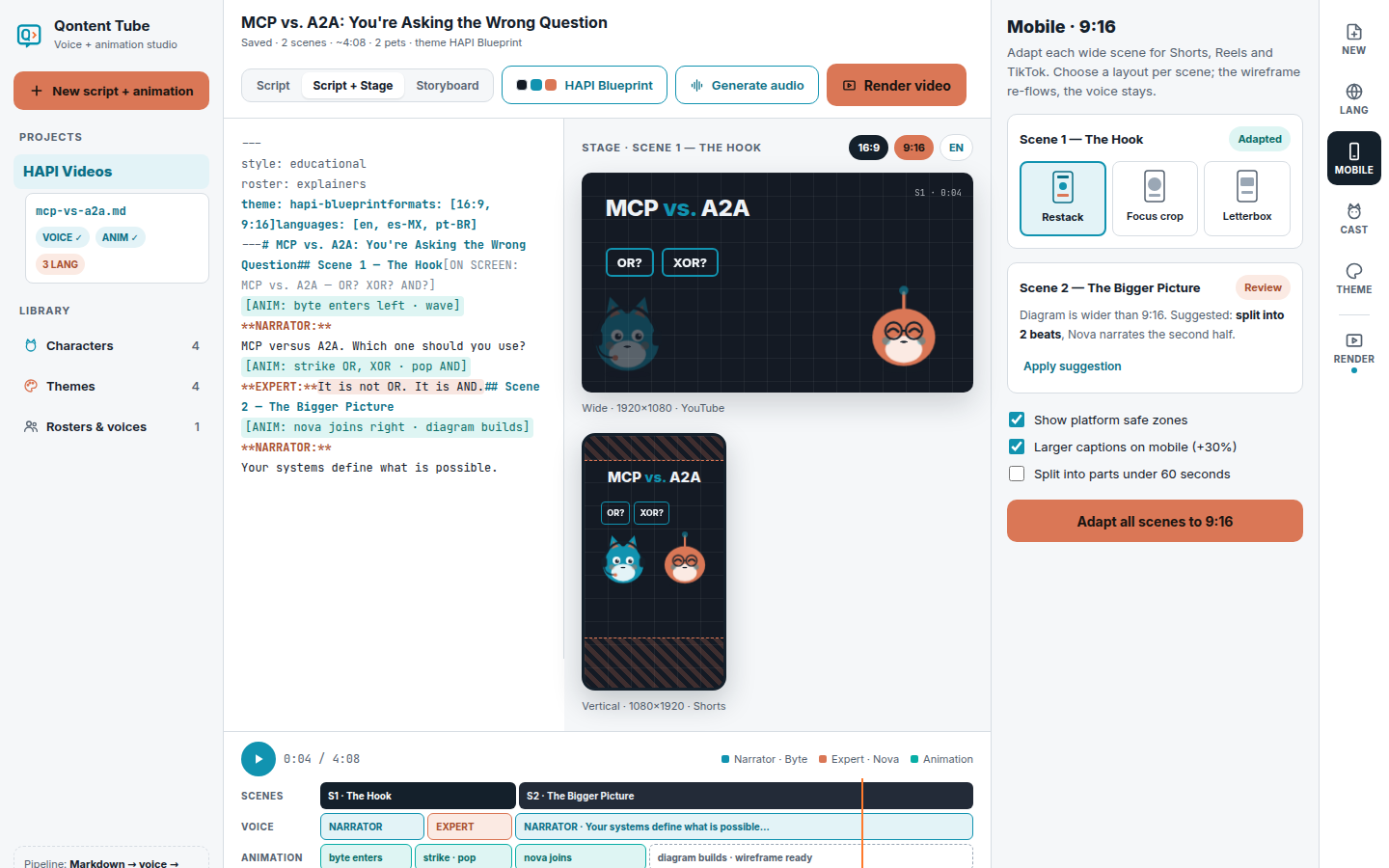
Voice-driven timing, a scene timeline, wide and vertical previews, and local MP4 rendering from one workspace.
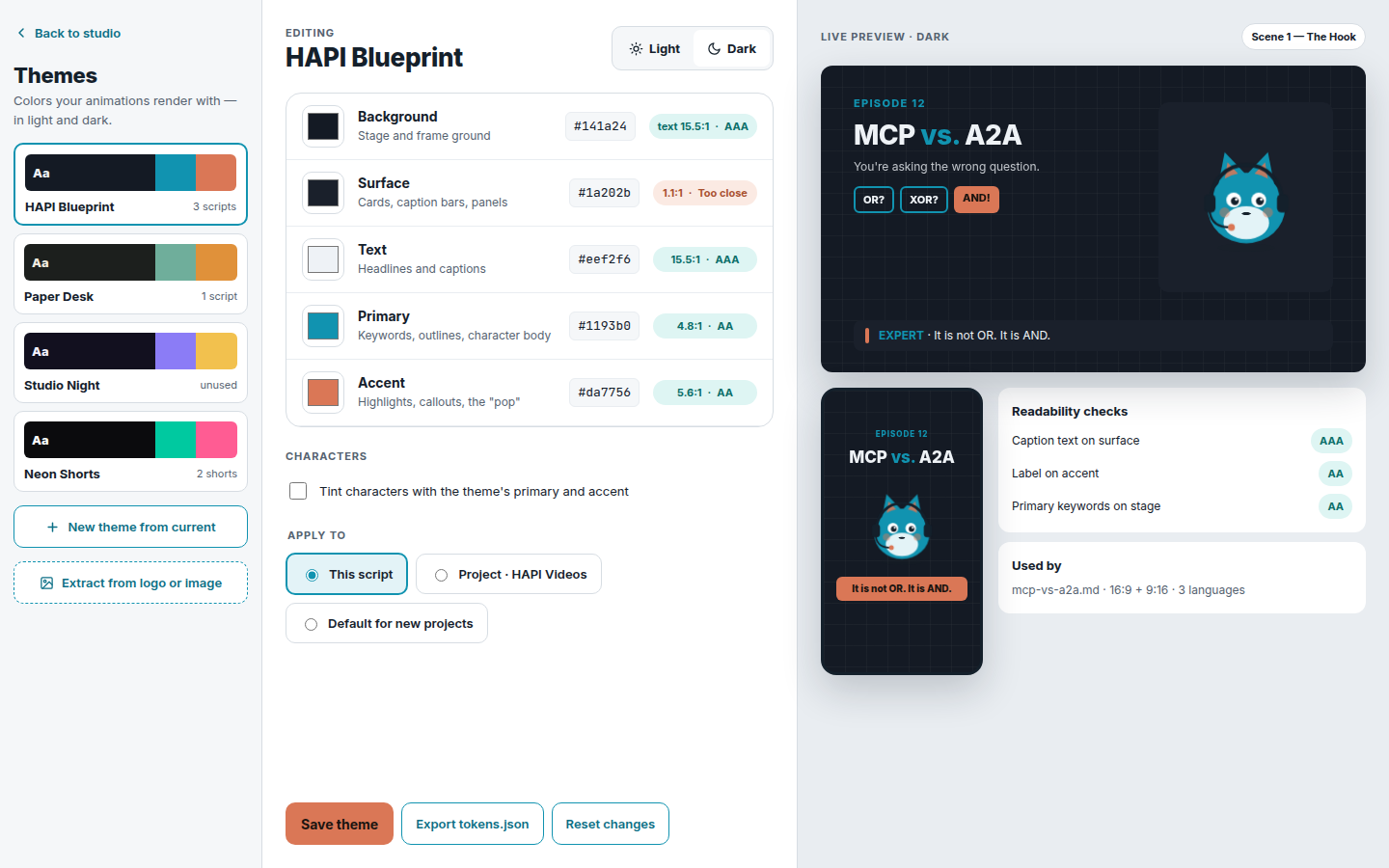
Reusable colors, accessible contrast, and live previews.
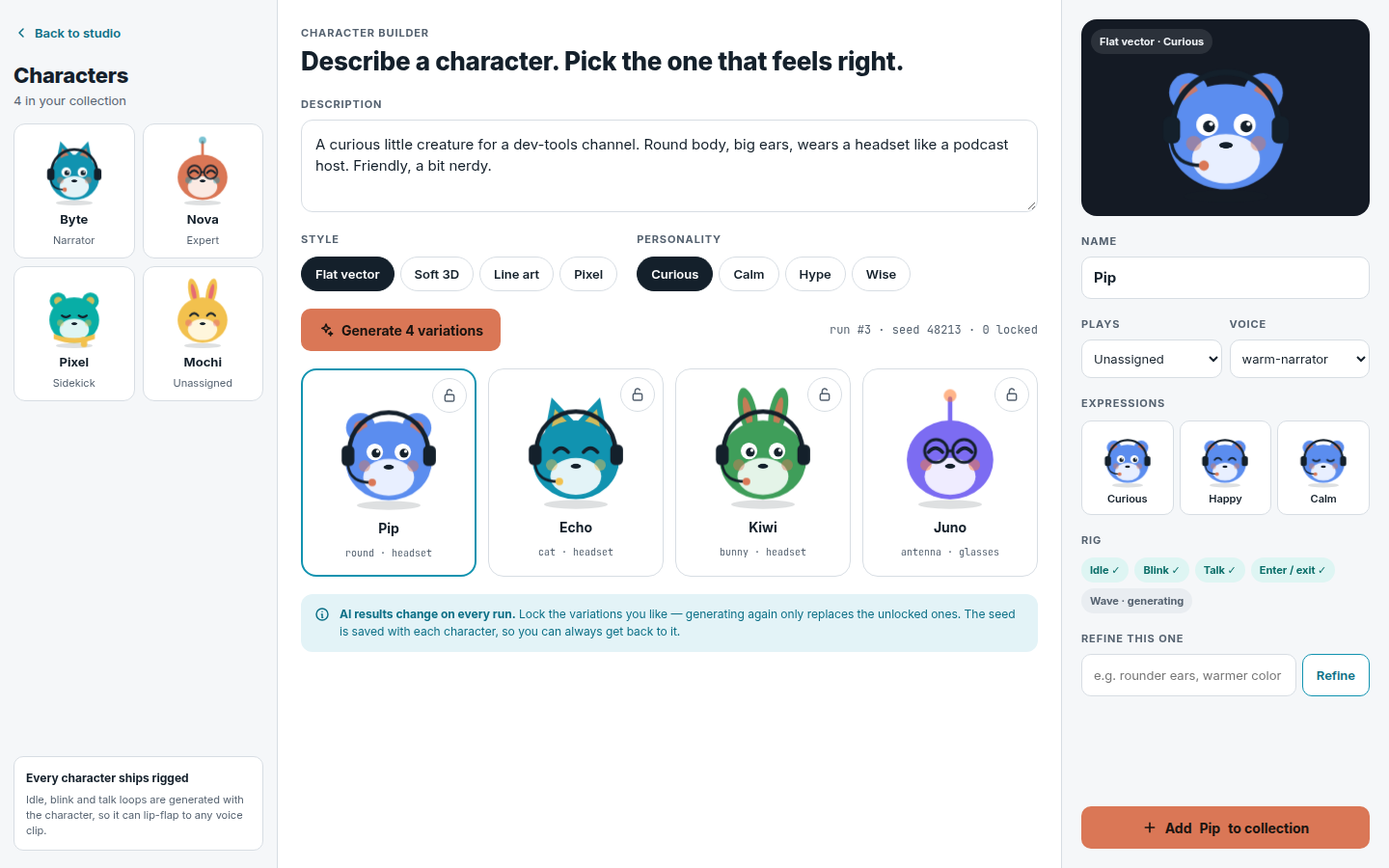
Reusable characters with expressions, voices, and motion.
These are working product sketches. The details may evolve; the direction will not.
MADE FOR FACELESS CREATORS
Use one familiar narrator or a full cast for interviews, debates, stories, and character-led formats.
THE FIVE-MINUTE FIRST WIN
FREE PRIVATE PREVIEW
Verify your email to download the current Windows and Linux v0.x preview. There is no charge, and product-update emails are always an optional choice.
You may keep using any v0.x build you legitimately obtain. Access to future downloads and private-preview updates lasts only while the program is active and does not automatically convert into a public-release license.
Preview features are experimental. They may change, become restricted, move into a different offer, or be unavailable in a public release.
Private-preview features may change or be restricted in the public release. This download does not automatically include later preview builds or the public release. Read the terms.
Private-preview downloads are temporarily unavailable.
FAQ
Qontent Tube is a desktop voice studio that turns scene-based Markdown scripts into organized, multi-voice narration. It connects scenes, speakers, reusable voices, generation state, and playback in one workspace.
Use a # title, ## scene headings, standalone bold speaker cues such as **NARRATOR:**, and bracketed production notes such as [ON SCREEN: …]. Production notes remain visible but are never spoken.
Yes. Build a roster for a channel, show, course, or series, then give each narrator or character a voice and speaking pace that can be reused across scripts.
Qontent Tube marks narration affected by the text, voice, or pace change as outdated. Regenerate that passage while every unchanged clip stays in place.
Yes. Add or update top-level Markdown files in the project content folder, then refresh the project. Missing files remain visible so they can be restored safely.
The packaged desktop release targets Windows x64 and Linux x64. The application runs locally and opens its workspace in your browser.
For voice generation you need your own Deepgram API key and internet access. Finished video rendering also needs ffmpeg 5+ with libx264 and AAC, plus Chrome, Chromium, or Edge. AI drafting and automatic scene images use optional third-party AI credentials; manual alternatives are available.
The current private-preview download is free after email verification. It covers the current v0.x preview build only; future downloads, updates, public releases, and particular features are not guaranteed.
Verification keeps automated abuse away from the private binaries and makes sure the time-limited download links reach a real inbox. Product updates are a separate, optional choice.
Yes. We may pause or end new private-preview downloads. A v0.x build you legitimately obtained remains usable without a time limit, but access to future downloads and updates is not guaranteed.
Yes. After the private pre-launch period, a public release is expected. Details and pricing for the public release will be announced separately.
You may keep using a v0.x build you legitimately obtained. That does not grant access to public-release builds, equivalent features, updates, or support.
WHY WE BUILT IT
Qontent Tube grew from making faceless videos with a different voice for every character and narrator. Small edits kept turning into large production chores, so we built a workspace where the script stays at the heart of the process and recurring voices feel like a cast.

Spend less time organizing clips and more time making videos people want to finish.
Download the private preview Windows x64 · Linux x64 · local-first